
Modifying data
While FlexiChain and FlexiSummary are intended to be immutable, there are scenarios where you may want to modify the data that they contain.
FlexiChains provides generic, high-level functions that allow you to modify either the keys or the values stored inside a FlexiChain or FlexiSummary.
All of these functions return a new chain (or summary) and avoid mutating the original chain (or summary).
Specialised applications
These functions are meant to be general, in that you can use them to perform any transformation you like. This means that for 'simple' applications such as renaming a single key they can be quite verbose. If you have a specific use case that would benefit from a more specialised function, please do feel free to open an issue or submit a pull request!
Modifying keys
Let's set up a chain first:
using FlexiChains: FlexiChain, Parameter, Extra

data = Dict(
    Parameter(:x) => randn(10, 3),
    Parameter(:y) => randn(10, 3),
    Extra(:a) => randn(10, 3),
)
chain = FlexiChain{Symbol}(10, 3, data)╭─FlexiChain (10 iterations, 3 chains) ────────────────────────────────────────╮
│ ↓ iter = 1:10 │
│ → chain = 1:3 │
│ │
│ Parameters (2) ── Symbol │
│ Float64 y, x │
│ │
│ Extras (1) │
│ Float64 a │
╰──────────────────────────────────────────────────────────────────────────────╯If you want to change the keys stored inside a FlexiChain or FlexiSummary, you can use the map_keys function:
using FlexiChains: get_name, map_keys

# Define a function that takes the old key and returns a new key.
f(p::Parameter) = Parameter(Symbol("new_", get_name(p)))
f(p::Extra) = p

map_keys(f, chain)╭─FlexiChain (10 iterations, 3 chains) ────────────────────────────────────────╮
│ ↓ iter = 1:10 │
│ → chain = 1:3 │
│ │
│ Parameters (2) ── Symbol │
│ Float64 new_y, new_x │
│ │
│ Extras (1) │
│ Float64 a │
╰──────────────────────────────────────────────────────────────────────────────╯Often for the most part you will only want to modify Parameters, in which case you can use map_parameters, and can skip the wrapping/unwrapping in Parameter:
using FlexiChains: map_parameters

g(s::Symbol) = Symbol("new_", s)

map_parameters(g, chain)╭─FlexiChain (10 iterations, 3 chains) ────────────────────────────────────────╮
│ ↓ iter = 1:10 │
│ → chain = 1:3 │
│ │
│ Parameters (2) ── Symbol │
│ Float64 new_y, new_x │
│ │
│ Extras (1) │
│ Float64 a │
╰──────────────────────────────────────────────────────────────────────────────╯Note that both map_keys and map_parameters work with FlexiSummary as well.
Modifying values
It is also possible to modify the values stored inside a FlexiChain (but not a FlexiSummary). This is done with the transform_values function:
using FlexiChains: FlexiChain, VarName, @varname, Parameter, Extra, transform_values
data = Dict(
    Parameter(@varname(x)) => randn(10, 3),
    Parameter(@varname(y)) => randn(10, 3),
    Extra(:a) => randn(10, 3),
)
chain = FlexiChain{VarName}(10, 3, data)

chain2 = transform_values(
    chain,
    @varname(x) => (i -> i + 1),
    @varname(y) => (i -> i * 2) => @varname(new_y),
)╭─FlexiChain (10 iterations, 3 chains) ────────────────────────────────────────╮
│ ↓ iter = 1:10 │
│ → chain = 1:3 │
│ │
│ Parameters (3) ── VarName │
│ Float64 x, y, new_y │
│ │
│ Extras (1) │
│ Float64 a │
╰──────────────────────────────────────────────────────────────────────────────╯The above example:
adds 1 to each element of
chain[@varname(x)]; andmultiplies each element of
chain[@varname(y)]by 2, and stores the result in a new key@varname(new_y).
chain2[@varname(x)] .- chain[@varname(x)] # Should be all 1.┌ 10×3 DimArray{Float64, 2} ┐
├────────────────────────────┴───────────────────────── dims ┐
↓ iter Sampled{Int64} 1:10 ForwardOrdered Regular Points,
→ chain Sampled{Int64} 1:3 ForwardOrdered Regular Points
└────────────────────────────────────────────────────────────┘
↓ → 1 2 3
1 1.0 1.0 1.0
2 1.0 1.0 1.0
3 1.0 1.0 1.0
4 1.0 1.0 1.0
⋮
7 1.0 1.0 1.0
8 1.0 1.0 1.0
9 1.0 1.0 1.0
10 1.0 1.0 1.0You can pass as many transformations as you like. The syntax is designed to be similar to that of DataFrames.transform, but has some slight differences: notably, the function being applied acts on individual draws from chain[@varname(x)] rather than the matrix as a whole.
You can also pass binary (or n-ary) functions to transform_values to combine multiple keys. Again, this is similar to DataFrames.transform, but the function combines individual draws from chain[@varname(x)] and chain[@varname(y)] rather than the matrices themselves.
chain3 = transform_values(chain, [@varname(x), @varname(y)] => (+) => @varname(sum_xy))╭─FlexiChain (10 iterations, 3 chains) ────────────────────────────────────────╮
│ ↓ iter = 1:10 │
│ → chain = 1:3 │
│ │
│ Parameters (3) ── VarName │
│ Float64 x, y, sum_xy │
│ │
│ Extras (1) │
│ Float64 a │
╰──────────────────────────────────────────────────────────────────────────────╯chain3[@varname(sum_xy)] == chain[@varname(x)] .+ chain[@varname(y)]trueAttaching labels to data
A common use case for transform_values is to attach labels to data, for example, converting a Vector of parameters into a DimVector. For example, consider our (now familiar) eight-schools model.
using Turing, FlexiChains

y = [28, 8, -3, 7, -1, 1, 18, 12]
sigma = [15, 10, 16, 11, 9, 11, 10, 18]
@model function eight_schools(y, sigma)
    mu ~ Normal(0, 5)
    tau ~ truncated(Cauchy(0, 5); lower=0)
    theta ~ MvNormal(fill(mu, length(y)), tau^2 * I)
    for i in eachindex(y)
        y[i] ~ Normal(theta[i], sigma[i])
    end
    return (mu=mu, tau=tau)
end
model = eight_schools(y, sigma)
chain = sample(model, NUTS(), 3; chain_type=VNChain)╭─FlexiChain (3 iterations, 1 chain) ──────────────────────────────────────────╮
│ ↓ iter = 2:4 │
│ → chain = 1:1 │
│ │
│ Parameters (3) ── VarName │
│ Float64 mu, tau │
│ Vector{Float64} theta (8,) │
│ │
│ Extras (14) │
│ Int64 n_steps, tree_depth │
│ Bool is_accept, numerical_error │
│ Float64 acceptance_rate, log_density, hamiltonian_energy │
│ hamiltonian_energy_error, max_hamiltonian_energy_error, step_size │
│ nom_step_size, logprior, loglikelihood, logjoint │
╰──────────────────────────────────────────────────────────────────────────────╯In this chain, theta has one entry per school, but is stored as a plain Vector. While this is fine for many applications, attaching labels can help make it easier to analyse the data.
using DimensionalData: DimArray, Dim

school_names = [
    "Choate",
    "Deerfield",
    "Phillips Andover",
    "Phillips Exeter",
    "Hotchkiss",
    "Lawrenceville",
    "St. Paul's",
    "Mt. Hermon",
]
add_labels(v::Vector{<:Real}) = DimArray(v, Dim{:school}(school_names))

chain = transform_values(chain, :theta => add_labels)╭─FlexiChain (3 iterations, 1 chain) ──────────────────────────────────────────╮
│ ↓ iter = 2:4 │
│ → chain = 1:1 │
│ │
│ Parameters (3) ── VarName │
│ Float64 mu, tau │
│ DimensionalData.DimVector{Float64, Tupl… theta (8,) │
│ │
│ Extras (14) │
│ Int64 n_steps, tree_depth │
│ Bool is_accept, numerical_error │
│ Float64 acceptance_rate, log_density, hamiltonian_energy │
│ hamiltonian_energy_error, max_hamiltonian_energy_error, step_size │
│ nom_step_size, logprior, loglikelihood, logjoint │
╰──────────────────────────────────────────────────────────────────────────────╯For example, DimVector parameters get special labels when plotting:
using CairoMakie

FlexiChains.Makie.traceplot(chain, @varname(theta); layout=(4, 2))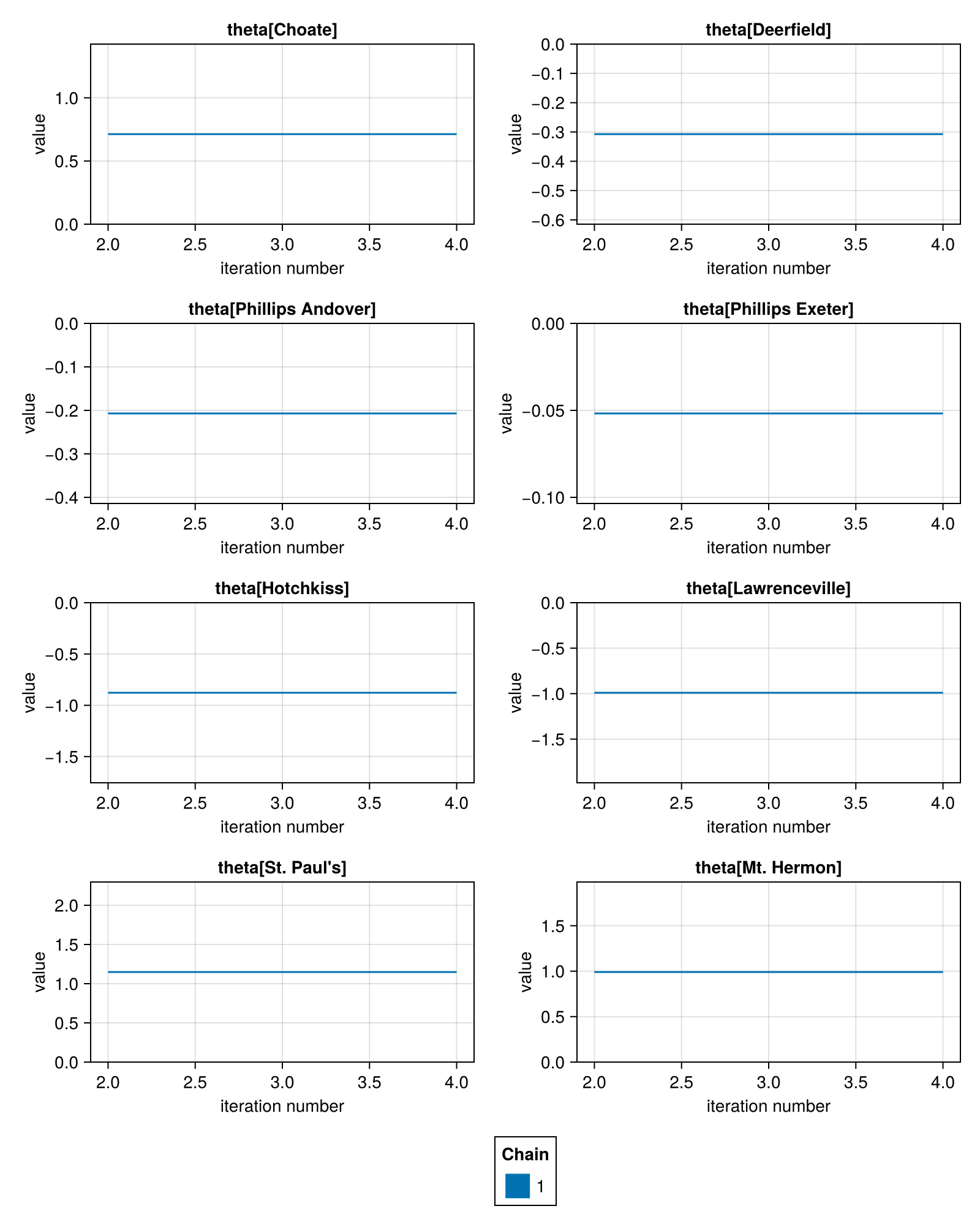
Having the labels also benefits downstream analysis of any data extracted from the chain. For example, you can obtain the same functionality as tidybayes' spread_draws:
using DataFrames

# Create a 3D DimArray (iter x chain x school)
dimarr = chain[:theta, stack=true]

# Convert it to a DataFrame (long-format by default)
df = DataFrame(dimarr)| Row | iter | chain | school | Parameter(theta) |
|---|---|---|---|---|
| Int64 | Int64 | String | Float64 | |
| 1 | 2 | 1 | Choate | 0.712456 |
| 2 | 3 | 1 | Choate | 0.712456 |
| 3 | 4 | 1 | Choate | 0.712456 |
| 4 | 2 | 1 | Deerfield | -0.307364 |
| 5 | 3 | 1 | Deerfield | -0.307364 |
| 6 | 4 | 1 | Deerfield | -0.307364 |
| 7 | 2 | 1 | Phillips Andover | -0.207039 |
| 8 | 3 | 1 | Phillips Andover | -0.207039 |
| 9 | 4 | 1 | Phillips Andover | -0.207039 |
| 10 | 2 | 1 | Phillips Exeter | -0.0517661 |
| 11 | 3 | 1 | Phillips Exeter | -0.0517661 |
| 12 | 4 | 1 | Phillips Exeter | -0.0517661 |
| 13 | 2 | 1 | Hotchkiss | -0.877581 |
| 14 | 3 | 1 | Hotchkiss | -0.877581 |
| 15 | 4 | 1 | Hotchkiss | -0.877581 |
| 16 | 2 | 1 | Lawrenceville | -0.98995 |
| 17 | 3 | 1 | Lawrenceville | -0.98995 |
| 18 | 4 | 1 | Lawrenceville | -0.98995 |
| 19 | 2 | 1 | St. Paul's | 1.14829 |
| 20 | 3 | 1 | St. Paul's | 1.14829 |
| 21 | 4 | 1 | St. Paul's | 1.14829 |
| 22 | 2 | 1 | Mt. Hermon | 0.990652 |
| 23 | 3 | 1 | Mt. Hermon | 0.990652 |
| 24 | 4 | 1 | Mt. Hermon | 0.990652 |
If you want a wide-format table, you can tap into the functionality in DimensionalData.jl (please see their docs for full info):
using DimensionalData: DimTable

df = DataFrame(DimTable(dimarr; layersfrom=:school))| Row | iter | chain | school_Choate | school_Deerfield | school_Phillips Andover | school_Phillips Exeter | school_Hotchkiss | school_Lawrenceville | school_St. Paul's | school_Mt. Hermon |
|---|---|---|---|---|---|---|---|---|---|---|
| Int64 | Int64 | Float64 | Float64 | Float64 | Float64 | Float64 | Float64 | Float64 | Float64 | |
| 1 | 2 | 1 | 0.712456 | -0.307364 | -0.207039 | -0.0517661 | -0.877581 | -0.98995 | 1.14829 | 0.990652 |
| 2 | 3 | 1 | 0.712456 | -0.307364 | -0.207039 | -0.0517661 | -0.877581 | -0.98995 | 1.14829 | 0.990652 |
| 3 | 4 | 1 | 0.712456 | -0.307364 | -0.207039 | -0.0517661 | -0.877581 | -0.98995 | 1.14829 | 0.990652 |
Standardisation
Another use case for transforming values is to (un)standardise parameter values.
For example, consider this simple linear regression (in principle X should also be standardised, but we'll skip it here).
X = randn(100, 3)
y = randn(100) .* 4.0 .+ 2.0

using StatsBase: fit, ZScoreTransform, transform
zs = fit(ZScoreTransform, y)
y_scaled = transform(zs, y)

mean(y_scaled), std(y_scaled)  # ≈ 0 and 1
(-3.3861802251067274e-17, 0.9999999999999997)@model function linear_regression(X)
beta ~ filldist(Normal(), size(X, 2))
mu := X * beta
y ~ MvNormal(mu, I)
end
model = linear_regression(X) | (; y=y_scaled)
chain = sample(model, NUTS(), 1000; chain_type=VNChain)╭─FlexiChain (1000 iterations, 1 chain) ───────────────────────────────────────╮
│ ↓ iter = 501:1500 │
│ → chain = 1:1 │
│ │
│ Parameters (2) ── VarName │
│ Vector{Float64} beta (3,), mu (100,) │
│ │
│ Extras (14) │
│ Int64 n_steps, tree_depth │
│ Bool is_accept, numerical_error │
│ Float64 acceptance_rate, log_density, hamiltonian_energy │
│ hamiltonian_energy_error, max_hamiltonian_energy_error, step_size │
│ nom_step_size, logprior, loglikelihood, logjoint │
╰──────────────────────────────────────────────────────────────────────────────╯In the resulting chain, we have values of mu but these are standardised according to the same ZScoreTransform we fitted to y.
mean(chain[:mu, stack=true]) # (probably) close to 0.-0.009901225680077766We can unstandardise them by applying the inverse transformation.
using StatsBase: reconstruct

chain = transform_values(chain, :mu => (i -> reconstruct(zs, i)))

mean(chain[:mu, stack=true])1.7083804566345184Docstrings
FlexiChains.map_keys Function
FlexiChains.map_keys(f, cs::ChainOrSummary{T})::ChainOrSummary{S} where {T,S}Change the keys of a FlexiChain or FlexiSummary by applying the function f to each key.
f must have the signature f(::ParameterOrExtra{<:T}) -> ParameterOrExtra{<:S}. It must return a unique key for each input key.
FlexiChains.map_parameters Function
FlexiChains.map_parameters(f, cs::ChainOrSummary{T})::ChainOrSummary{S} where {T,S}Change the parameters of a FlexiChain or FlexiSummary by applying the function f to each parameter name.
f must have the signature f(::T) -> S. It must return a unique parameter for each input parameter.
FlexiChains.transform_values Function
FlexiChains.transform_values(chn::FlexiChain{T}, args...)Perform one or more transformations on the values inside a FlexiChain.
args can be one or more of the following:
key => f => new_keyAppliesfto each draw ofkeyand stores the result innew_key.key => fShorthand for{key} => f => {key}, i.e., appliesfto each draw ofkeyand stores the result back inkey.[key1, key2, ..., keyN] => f => new_keyCalculatesf(key1, key2, ..., keyN)for each draw and stores the result innew_key. Note that the LHS must be anAbstractVector; other iterables like Tuples are not accepted.
key accepts any value that can be used to index into a FlexiChain, including Symbols when unambiguous. However, new_key is more restricted: it must be either FlexiChains.Extra, FlexiChains.Parameter{<:T}, or just a T (in which case it is assumed to be a parameter).